Infrastructure · 2024-2026
Home Lab
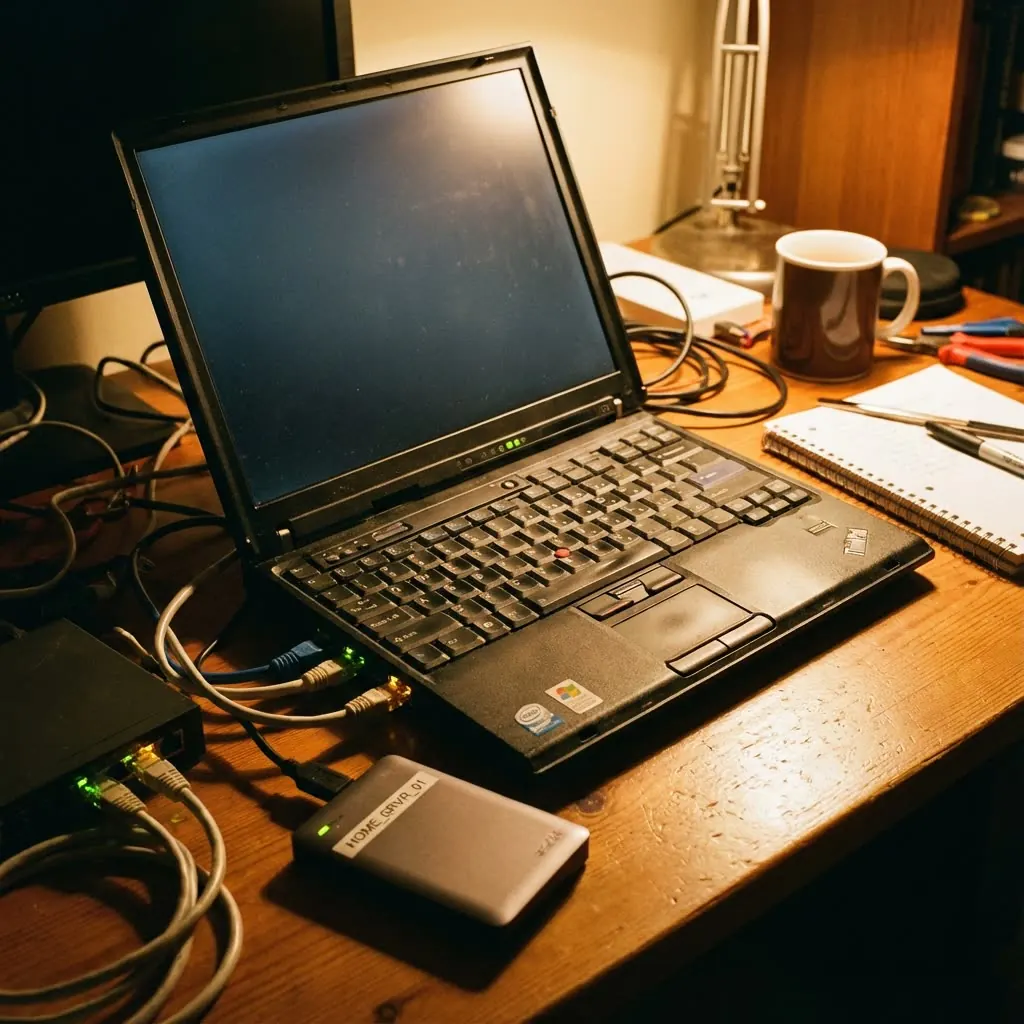
An old laptop turned into a server: it started as a NAS for my files and now serves this site, GestionBarber, VeoVeo and my automations.
- Role
- Systems administration
- Year
- 2024-2026
- Stack
- Debian
- OpenMediaVault
- Docker
- Portainer
- Caddy
- n8n
- Linux
- 6
- containers running
- 6
- domains with automatic HTTPS
- 5 min
- between DNS updates
- 2 días
- to rebuild it from scratch
Why I built it
It came from curiosity and a need: a place of my own for my files and a platform to experiment on around the clock without relying on the cloud. An old laptop I no longer used was the perfect candidate: if I broke something, I only broke my lab.
How it works
- InternetSomeone opens luisjardonpiquero.com
- DNSOwn domain + DuckDNS, kept current when the IP changes
- RouterOnly ports 80 and 443 to the server
- CaddyProxy with automatic HTTPS certificates
- This portfolioStatic Astro site
- GestionBarberReact + FastAPI + MySQL
- VeoVeoFlask API
- n8nAutomations
An old laptopOpenMediaVault (Debian) + Docker Compose
The story
An old laptop, a new NAS
The first step was turning it into a proper NAS with OpenMediaVault: users, permissions and, above all, a folder structure that keeps personal data, backups and Docker volumes apart. That way I can tinker with containers without fear of breaking my photos or documents.
Security first
Before exposing anything to the internet I had to close doors: my own user with admin rights for everyday work, controlled SSH access and really understanding what every open port means. It was my first hands-on cybersecurity lesson.
From network drive to app server
With a stable base came Docker, and Portainer let me manage containers, read their logs in real time and see at a glance what was running. That's when the laptop stopped being a network drive and became a server.
Automating with n8n
I wanted workflows that connect services and APIs, so I set up n8n with its database on an internal Docker network: only n8n can talk to it and nothing is exposed without reason.
Wrestling with the network
This is where I hit the reality of home networks: internal and external ports, router forwarding and a public IP that changes whenever it likes. I solved it with dynamic DNS: a timer updates DuckDNS every five minutes, so the domains always point home.
- September 2026
The day I lost the server
The server everything ran on was gone, and with it GestionBarber, VeoVeo, n8n and the portfolio. Instead of reinstalling in a rush, I first wrote a plan by layers (network, system, access, containers, proxy, backups and monitoring) and then rebuilt everything on this laptop in two days: a clean install, a fixed IP reserved on the router, the laptop set not to sleep when the lid closes, every service described in Docker Compose and Caddy in front with automatic HTTPS.
- Today
The base for everything I publish
That laptop serves this site, the Café Jardón demo, GestionBarber, the VeoVeo API and n8n, each with its own domain and certificate. And it's all documented step by step, so next time rebuilding it is a matter of hours.
Problems I solved
- The problem
The OpenMediaVault panel was using port 80, so Caddy couldn't obtain HTTPS certificates.
How I solved itI moved the panel to another port, reachable only from home, and left 80 and 443 to Caddy.
- The problem
My home public IP changes without warning, and the domains stopped pointing to the server.
How I solved itA systemd timer updates DuckDNS every five minutes and at boot.
- The problem
Being a laptop, it went to sleep when the lid closed and dropped the connection.
How I solved itI disabled lid and idle suspend: it now works closed, like a server.
- The problem
At first every service was installed “as it came”, which made it hard to rebuild.
How I solved itNow everything lives in Docker Compose: a few files describe the whole server and rebuilding it is repeatable.
There's no point building a powerful server if you leave the front door open.
What I learned
This project has been my personal master's in systems administration: a home server is 20% installation and 80% maintenance and design. Now I understand what happens under the hood of every service I use.
What's next
- Remote access through Tailscale, with key-only SSH and two-factor auth.
- 3-2-1 backups, with one copy off-site.
- Monitoring with Uptime Kuma and phone alerts if anything goes down.