Android app · 2025
VeoVeo
An Android app to search films and series, rate them and keep track of what I've watched and what's left, with its own API on my server.
- Role
- Personal project · whole stack
- Year
- 2025
- Stack
- Android
- Java
- Retrofit
- Flask
- Python
- SQLite
- Docker
Why I built it
I wanted something very simple: never lose track of which films and series I'd watched and which were still pending. Instead of relying on a third-party app, I built my own, with my data stored on my own server. It was also the perfect excuse to build a complete Android app, from the screen to the database.
How it works
- Your phoneAndroid app in Java
- HTTPSOwn subdomain behind Caddy
- Own APIFlask in a Docker container
- DatabaseSQLite: watched, pending and ratings
Search results, posters and film details come from the public OMDb API, called straight from the app.
The story
The idea
It started as a second-year DAM project: a native Android app, in Java, to search films and series and log the ones you watch. I wanted it to feel like a real app, not an exercise, so I gave it a classic-cinema look with popcorn and clapperboards in the background.
Search without building a catalogue
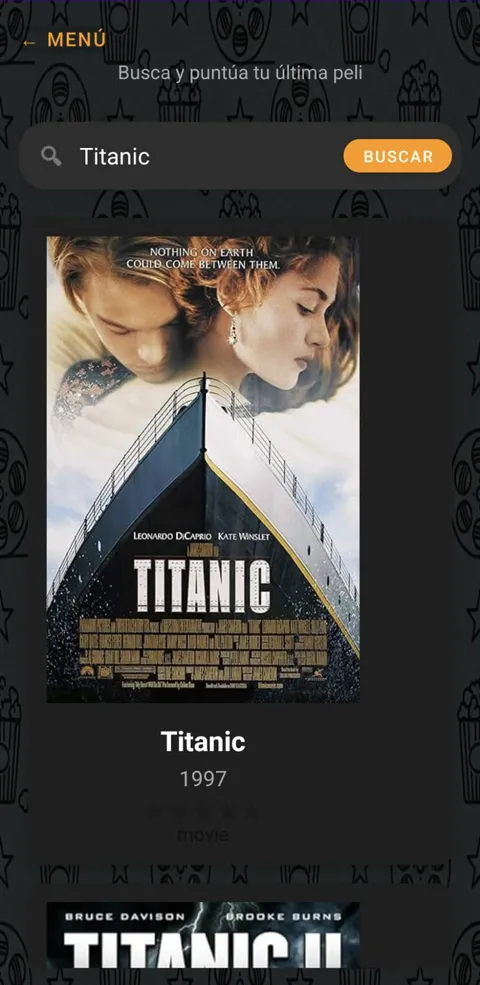
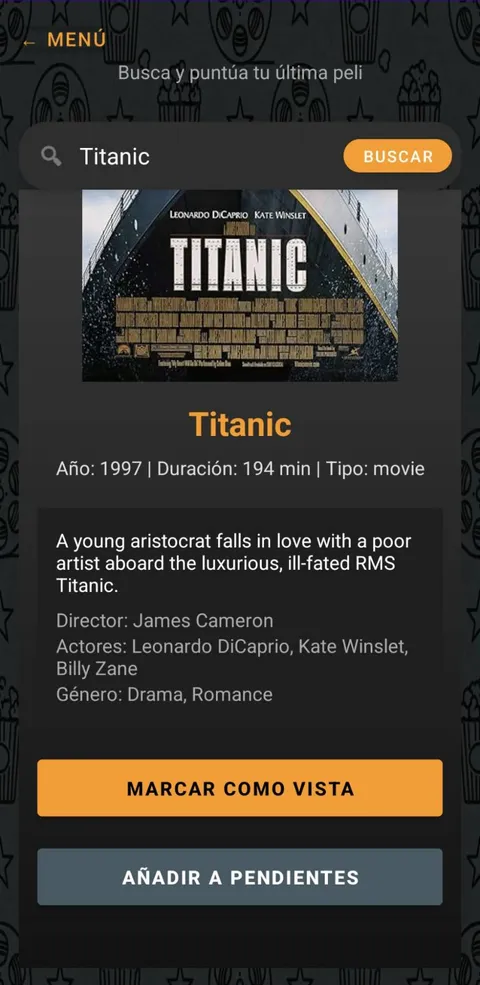
Instead of loading thousands of titles myself, the app queries the OMDb API: type “Titanic” and you get the poster, year, runtime, synopsis, director, cast and genre. Retrofit handles the requests, Glide loads the posters and Shimmer fills the gap while data arrives.
My list, with ratings
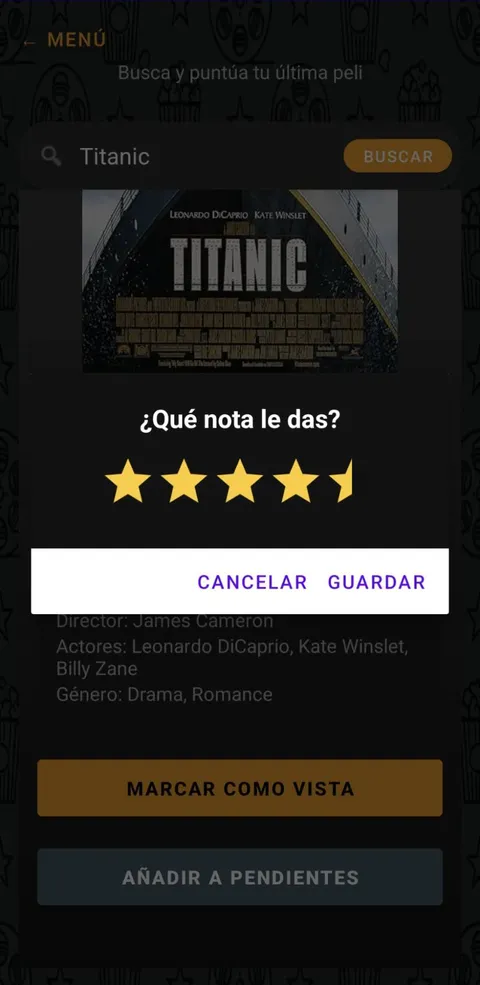
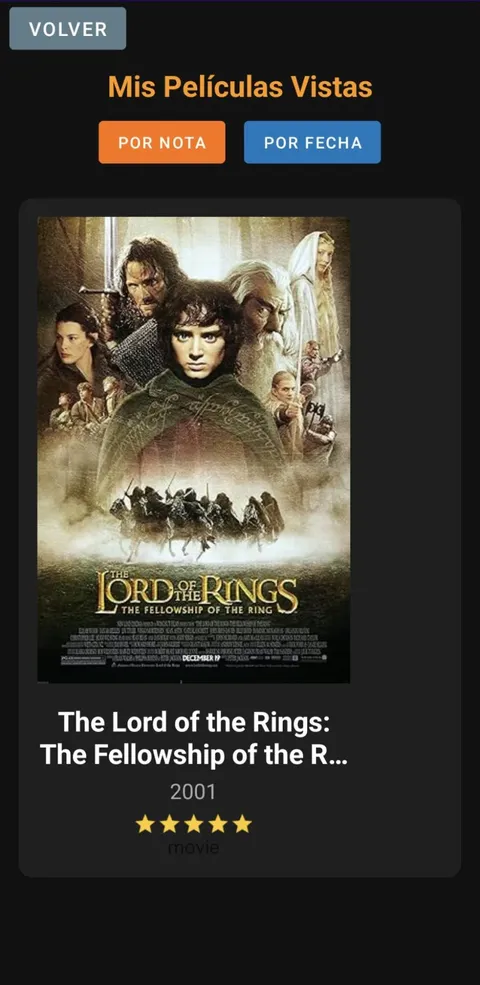
Each title can be marked as watched with a star rating (half stars included) or sent to the pending list. “My watched films” can be sorted by rating or by date, so I remember what I liked most and what I watched last.
An API of my own
What you save doesn't just stay on the phone: it goes to a REST API I wrote in Flask, with login and its own SQLite database. At first it only worked on my home wifi.
Taking it out of the house
Today the API runs in a Docker container on my server, published with its own subdomain and HTTPS certificate. The app works the same on wifi or mobile data, wherever I am.
Problems I solved
- The problem
The app stopped connecting because the server address was hard-coded.
How I solved itI moved it into the build configuration, so changing servers no longer means touching the code.
- The problem
On mobile data the app couldn't reach the API, which was only reachable from my home network.
How I solved itI published it behind my server's proxy, with its own domain and HTTPS, instead of just opening ports.
- The problem
Screens looked empty while posters were loading.
How I solved itAn animated skeleton (Shimmer) holds the space while data arrives, and Glide caches the posters.
What I learned
It's the app I use to keep track of my films and series. And it taught me to think about the whole journey: what the user sees, the API behind it and the server it lives on.